

Getting an API key
The fastest way to get an API key is the Inworld CLI:--write only affects write endpoints of the Voice API and Router API — other APIs (such as Text-to-Speech and LLM) are not impacted.
This also works for AI coding agents — they can mint a key without leaving the terminal.
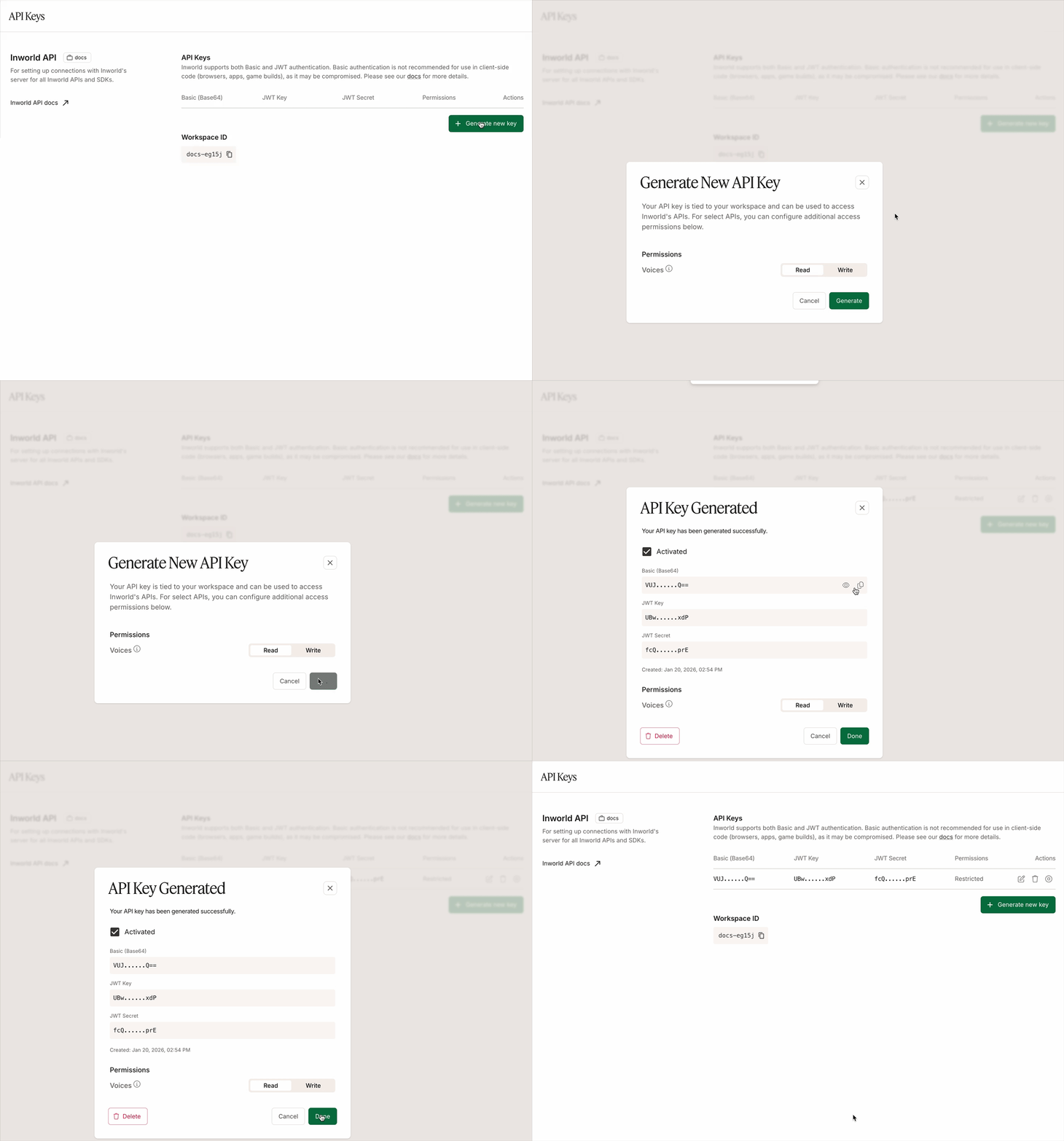
Alternatively, to get an API key from the Portal:
- Log in to Inworld Portal.
- Click API Keys on the bottom left sidebar.
- Click Generate new key to generate a new API key.
- Copy the Basic (Base64) authorization signature.
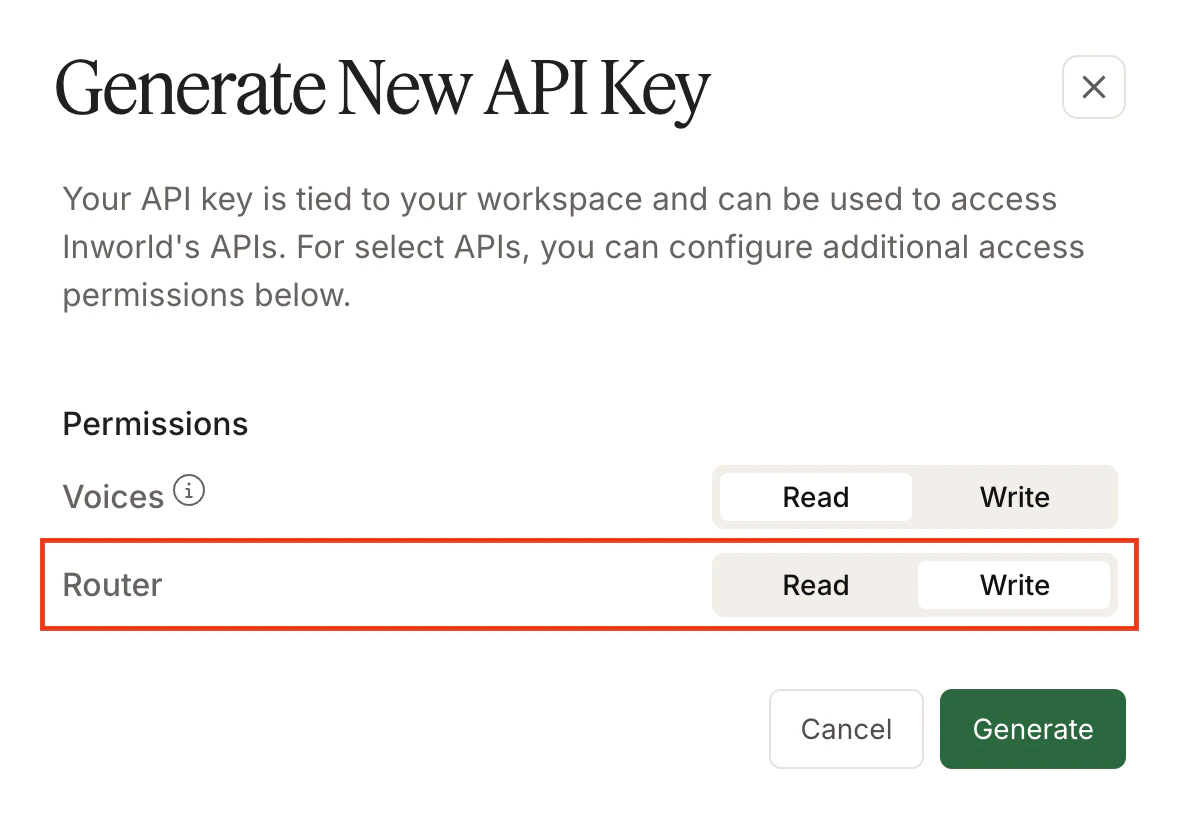
- Voice API, which enables the API key to be used for POST, PATCH, and DELETE endpoints (clone voice, update voice, delete voice). GET endpoints only require read permissions.
- Router API, which enables the API key to be used for POST, PATCH, and DELETE endpoints (create router, update router, delete router). GET endpoints only require read permissions.
Basic authentication
Basic authentication uses the Base64 encoded credentials to authenticate the request. Below is an example of the header for Basic authentication:Realtime-only API keys
A Realtime-only API key is a credential built specifically for the Inworld Realtime API. Use it for any voice agent that connects over WebSocket or WebRTC.What it covers
- Realtime sessions over WebSocket and WebRTC
- Streaming audio in and audio out within a realtime session
- Speech, language, and voice generation that the Realtime API performs for you
Create the key
- Sign in to Inworld Portal and open API Keys.
- Click Generate new key and choose Realtime-only as the key type.
- Copy the Base64 credentials.
A key’s type is fixed at creation. To use a different key type, please create a new key.