Build a browser-based voice agent that streams audio to the Inworld Realtime API using WebSocket.
The WebSocket transport is best for server-side and proxied connections where you can set custom headers. For browser-native voice with lower latency, see the WebRTC Quickstart.

Get Started

1

Create an API key

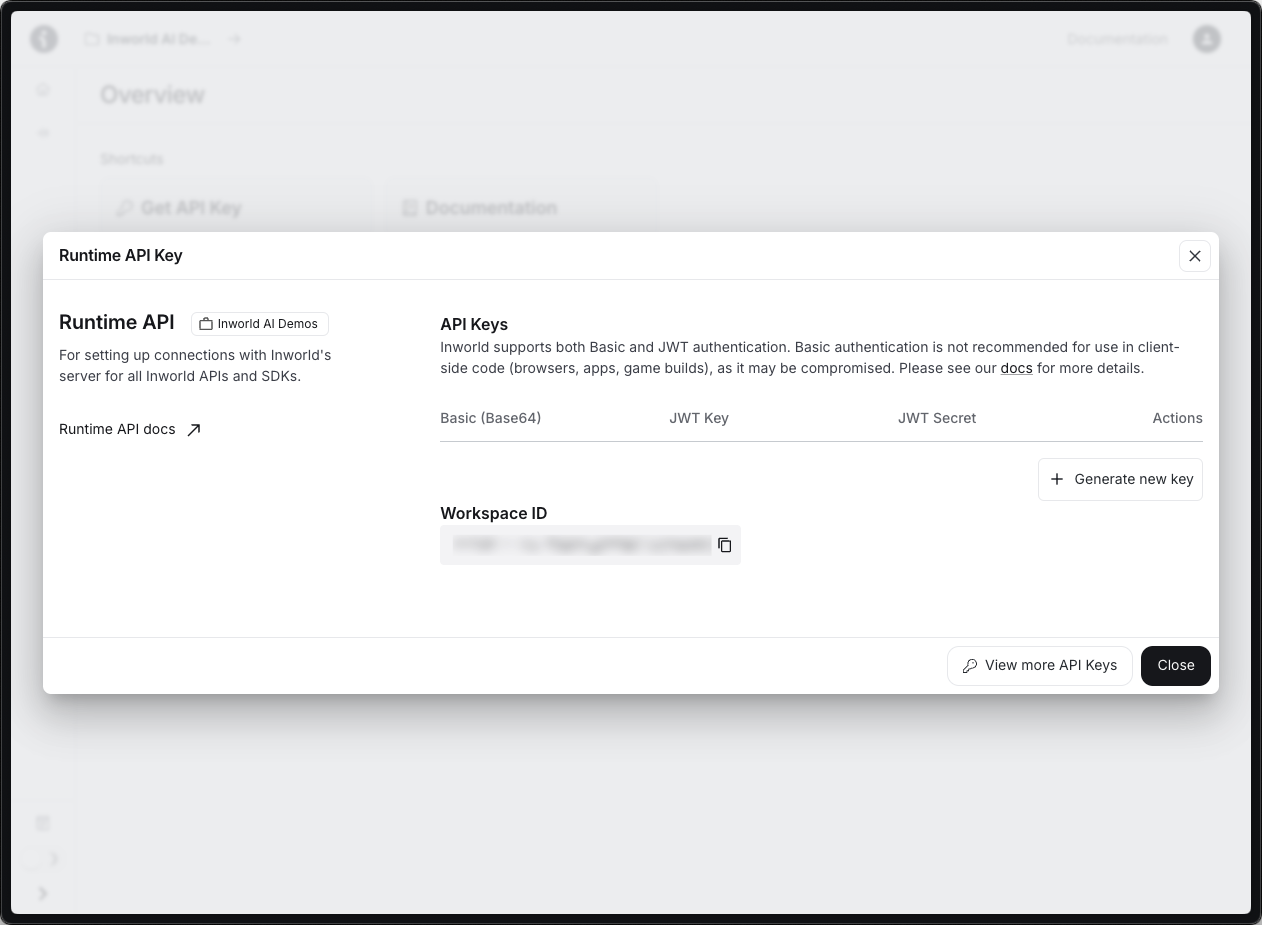
Create an Inworld account.In Inworld Portal, generate an API key by going to Settings > API Keys. Copy the Base64 credentials.Set your API key as an environment variable.
export INWORLD_API_KEY='your-base64-api-key-here'
2

Create the server

Create server.js. It proxies WebSocket events between the browser and Inworld, configures the voice session, and triggers an initial greeting.
server.js
import { readFileSync } from 'fs';
import { createServer } from 'http';
import { WebSocketServer, WebSocket } from 'ws';

const html = readFileSync('index.html');
const server = createServer((req, res) => {
  res.writeHead(200, { 'Content-Type': 'text/html' });
  res.end(html);
});
const wss = new WebSocketServer({ server, path: '/ws' });

const SESSION_CFG = JSON.stringify({
  type: 'session.update',
  session: {
    instructions: 'You are a friendly voice assistant. Keep responses brief.',
  }
});

const GREET = JSON.stringify({
  type: 'conversation.item.create',
  item: { type: 'message', role: 'user', content: [{ type: 'input_text', text: 'Greet the user' }] }
});

wss.on('connection', (browser) => {
  let setup = 0;
  const api = new WebSocket(
    `wss://api.inworld.ai/api/v1/realtime/session?key=voice-${Date.now()}&protocol=realtime`,
    { headers: { Authorization: `Basic ${process.env.INWORLD_API_KEY}` } }
  );

  api.on('message', (raw) => {
    if (setup < 2) {
      const t = JSON.parse(raw.toString()).type;
      if (t === 'session.created') { api.send(SESSION_CFG); setup = 1; }
      else if (t === 'session.updated' && setup === 1) { api.send(GREET); api.send('{"type":"response.create"}'); setup = 2; }
    }
    if (browser.readyState === WebSocket.OPEN) browser.send(raw.toString());
  });

  browser.on('message', (msg) => { if (api.readyState === WebSocket.OPEN) api.send(msg.toString()); });
  browser.on('close', () => api.close());
  api.on('close', () => { if (browser.readyState === WebSocket.OPEN) browser.close(); });
  api.on('error', (e) => console.error('API error:', e.message));
});

let port = 3000;
server.on('error', (e) => {
  if (e.code === 'EADDRINUSE') { console.warn(`Port ${port} in use, trying ${++port}…`); server.listen(port); }
  else throw e;
});
server.listen(port, () => console.log(`Open http://localhost:${port}`));

3

Create the frontend

Create index.html in the same directory. It captures microphone audio, plays agent audio, and displays transcripts that fade after each turn.
index.html
<!DOCTYPE html>
<html>
<head><meta charset="utf-8"><title>Voice Agent</title></head>
<body style="display:flex;align-items:center;justify-content:center;height:100vh;margin:0">
  <button id="btn" onclick="go()">Start Conversation</button>
  <script>
    const btn = document.getElementById('btn');
    let ws, ctx, src, proc, source, stream, active = false, playing = false, nextPlayTime = 0;
    const queue = [];

    async function go() {
      if (active) { ws.close(); return; }
      btn.disabled = true; btn.textContent = 'Connecting…';
      ctx = new AudioContext({ sampleRate: 24000 });
      stream = await navigator.mediaDevices.getUserMedia({
        audio: { sampleRate: 24000, channelCount: 1, echoCancellation: true, noiseSuppression: true }
      });
      ws = new WebSocket(`ws://${location.host}/ws`);
      ws.onopen = () => {
        active = true;
        source = ctx.createMediaStreamSource(stream);
        proc = ctx.createScriptProcessor(2048, 1, 1);
        proc.onaudioprocess = ({ inputBuffer }) => {
          if (ws.readyState !== WebSocket.OPEN) return;
          const f = inputBuffer.getChannelData(0);
          const pcm = new Int16Array(f.length);
          for (let i = 0; i < f.length; i++) pcm[i] = Math.max(-32768, Math.min(32767, f[i] * 32768));
          ws.send(JSON.stringify({ type: 'input_audio_buffer.append', audio: b64(pcm.buffer) }));
        };
        source.connect(proc); proc.connect(ctx.destination);
      };
      ws.onmessage = ({ data }) => {
        const e = JSON.parse(data);
        if (e.type === 'response.output_audio.delta') {
          if (btn.disabled) { btn.textContent = 'Stop Conversation'; btn.disabled = false; }
          queue.push(Uint8Array.from(atob(e.delta), c => c.charCodeAt(0)).buffer);
          if (!playing) playNext();
        } else if (e.type === 'input_audio_buffer.speech_started') {
          stopAudio();
        }
      };
      ws.onclose = () => {
        active = false; stopAudio();
        proc?.disconnect(); source?.disconnect();
        stream?.getTracks().forEach(t => t.stop());
        btn.textContent = 'Start Conversation'; btn.disabled = false;
      };
    }

    function playNext() {
      if (!queue.length) { playing = false; return; }
      playing = true;
      const pcm16 = new Int16Array(queue.shift()), len = pcm16.length, fade = 48;
      const f32 = new Float32Array(len);
      for (let i = 0; i < len; i++) f32[i] = pcm16[i] / 32768;
      for (let i = 0; i < fade; i++) { f32[i] *= i / fade; f32[len - 1 - i] *= i / fade; }
      const buf = ctx.createBuffer(1, len, 24000);
      buf.getChannelData(0).set(f32);
      src = ctx.createBufferSource();
      src.buffer = buf; src.connect(ctx.destination);
      const t = Math.max(ctx.currentTime, nextPlayTime);
      nextPlayTime = t + buf.duration;
      src.onended = playNext; src.start(t);
    }

    function stopAudio() {
      queue.length = 0; playing = false; nextPlayTime = 0;
      try { src?.stop(); } catch {}
      src = null;
    }

    function b64(buf) {
      const b = new Uint8Array(buf); let s = '';
      for (let i = 0; i < b.length; i++) s += String.fromCharCode(b[i]);
      return btoa(s);
    }
  </script>
</body>
</html>

4

Install and run

npm init -y && npm pkg set type=module
npm install ws
node server.js
Open http://localhost:3000 and click Start Conversation. The agent greets you with audio.

How It Works

ComponentRole
BrowserCaptures mic audio (PCM16, 24 kHz), plays agent audio
ServerProxies events between browser and Inworld, holds the API key server-side
Inworld Realtime APIHandles speech-to-text, LLM processing, and text-to-speech in one WebSocket session
Key events used:
  • input_audio_buffer.append — streams mic audio to Inworld
  • response.output_audio.delta — agent audio chunks for playback
  • input_audio_buffer.speech_started — triggers interruption (stops agent playback)

Next Steps