Documentation Index
Fetch the complete documentation index at: https://dev.docs.inworld.ai/llms.txt
Use this file to discover all available pages before exploring further.
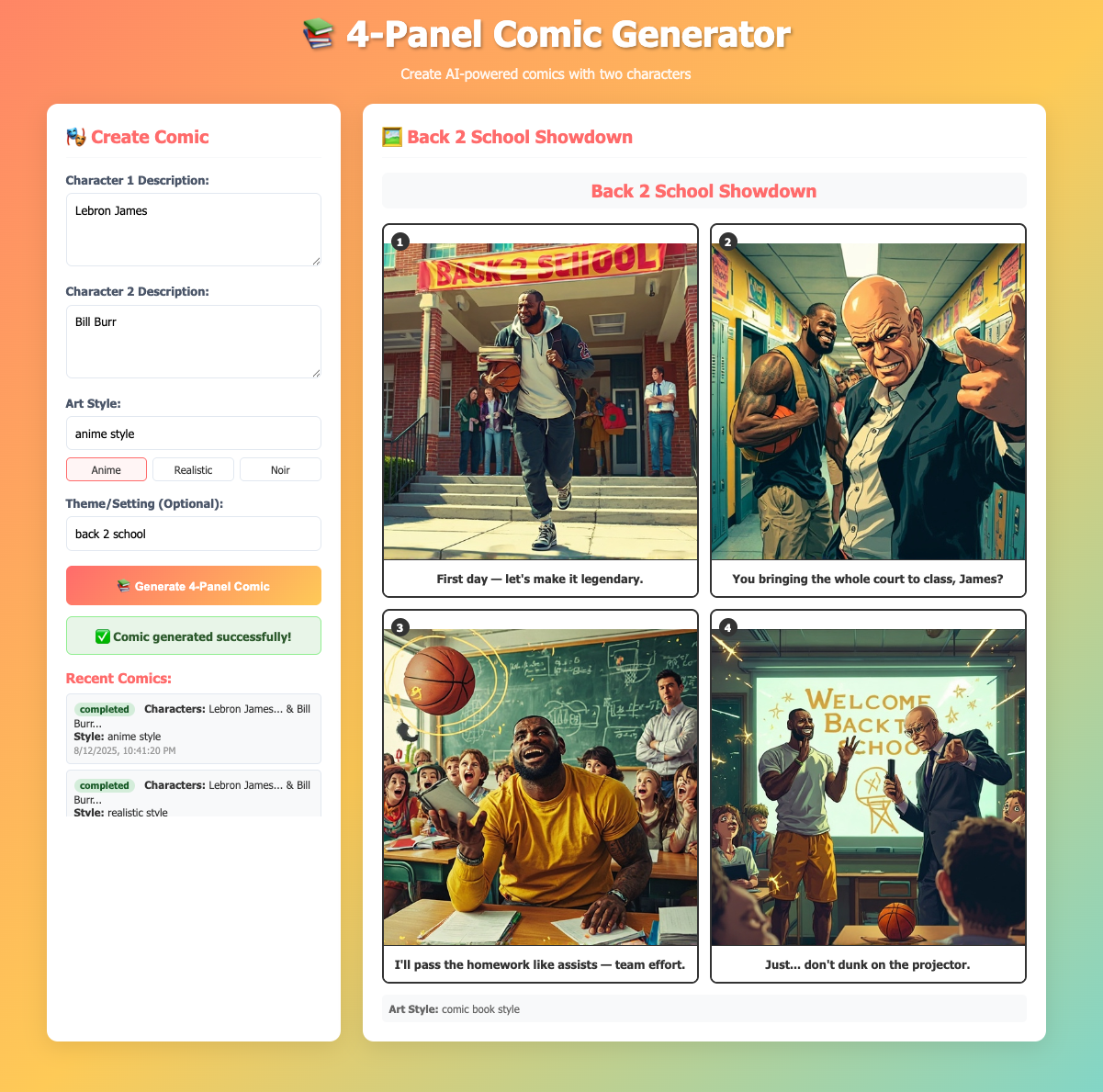
This template creates AI-generated 4-panel comics using the Inworld Agent Runtime and MiniMax Image Generation API.
Key concepts demonstrated:
- Custom nodes extending the
CustomNode class for specialized processing
- LLM-powered story generation
- External API integration (MiniMax) for image generation
- Parallel processing for efficiency
- Error handling and retry logic
Architecture
- Backend: Inworld Agent Runtime + Express.js + Minimax API
- Frontend: Static HTML + JavaScript
- Communication: HTTP
Prerequisites
Run the Template
-
Clone the comic generator GitHub repo.
-
Set up your API keys by creating a
.env file in the project’s root directory with your required API keys:
# Required, Inworld Agent Runtime Base64 API key
INWORLD_API_KEY=<your_inworld_api_key_here>

# Required, MiniMax API key for image generation
MINIMAX_API_KEY=<your_minimax_api_key_here>
-
Install dependencies and start the server:
The server will start on port 3003 (or the port specified in your PORT environment variable).
-
Open your browser and navigate to
http://localhost:3003 to access the comic generation interface.
-
Create a comic by filling in the form:
- Character 1 Description: e.g., “A brave knight with shiny armor”
- Character 2 Description: e.g., “A wise old wizard with a long beard”
- Art Style: e.g., “anime manga style” or “cartoon style”
- Theme (optional): e.g., “medieval adventure”
-
Click “Generate Comic” and wait for the processing to complete. You can check the status or view recent comics through the interface.
-
Check out your captured traces in Portal!
Understanding the Template
The core functionality of the comic generator is contained in comic_server.ts, which orchestrates a graph-based processing pipeline using custom nodes and built-in Inworld Agent Runtime components.
The template creates a processing pipeline that transforms user input through multiple AI processing stages to generate complete 4-panel comics.
1) Custom Node Implementation
The template defines custom nodes by extending the CustomNode class for specialized comic generation operations:
import { CustomNode, ProcessContext } from '@inworld/runtime/graph';
import { GraphTypes } from '@inworld/runtime/common';

// Custom node for generating story prompts
export class ComicStoryGeneratorNode extends CustomNode {
  process(context: ProcessContext, input: ComicStoryInput): GraphTypes.LLMChatRequest {
    const prompt = `You are a comic book writer. Create a 4-panel comic story with the following characters and specifications:
    CHARACTER 1: ${input.character1Description}
    CHARACTER 2: ${input.character2Description}
    ART STYLE: ${input.artStyle}
    ${input.theme ? `THEME/SETTING: ${input.theme}` : ''}
    Create exactly 4 panels for a short comic strip...`;

    return new GraphTypes.LLMChatRequest({
      messages: [{ role: 'user', content: prompt }]
    });
  }
}

// Custom node for parsing LLM responses
class ComicResponseParserNode extends CustomNode {
  process(context: ProcessContext, input: GraphTypes.Content) {
    return parseComicStoryResponse(input.content);
  }
}

// Custom node for image generation
export class ComicImageGeneratorNode extends CustomNode {
  async process(context: ProcessContext, input: ComicStoryOutput): Promise<ComicImageOutput> {
    // Generate images for all 4 panels using MiniMax API
    // ... image generation logic
  }
}
2) Node Creation
After defining custom node classes, the graph creates instances of both custom and built-in nodes:
// Create custom node instances
const storyGeneratorNode = new ComicStoryGeneratorNode();
const responseParserNode = new ComicResponseParserNode();
const imageGeneratorNode = new ComicImageGeneratorNode();

// Create built-in LLM node
const llmChatNode = new RemoteLLMChatNode({
  provider: 'openai',
  modelName: 'gpt-5-mini',
  stream: false,
});
3) Core Graph Construction
With all nodes created, the comic generation pipeline is assembled using GraphBuilder by connecting each processing stage:
const graphBuilder = new GraphBuilder({
  id: 'comic_generator',
  apiKey: process.env.INWORLD_API_KEY!
});

// Add all nodes to the graph
graphBuilder
  .addNode(storyGeneratorNode)
  .addNode(llmChatNode)
  .addNode(responseParserNode)
  .addNode(imageGeneratorNode);

// Connect the nodes to create the processing pipeline
graphBuilder
  .addEdge(storyGeneratorNode, llmChatNode)
  .addEdge(llmChatNode, responseParserNode)
  .addEdge(responseParserNode, imageGeneratorNode)
  .setStartNode(storyGeneratorNode)
  .setEndNode(imageGeneratorNode);

const comicGeneratorGraph = graphBuilder.build();
4) Graph Execution
Once the graph is built, the server uses it to process comic generation requests asynchronously. When a user submits a comic request through the REST API, the following execution flow begins:
async function generateComic(request: ComicRequest) {
  const input: ComicStoryInput = {
    character1Description: request.character1Description,
    character2Description: request.character2Description,
    artStyle: request.artStyle,
    theme: request.theme,
  };

  // Start graph execution
  const executionId = uuidv4();
  const outputStream = await comicGeneratorGraph!.start(input, executionId);

  // Process the output stream (see Response Handling)
  await processGraphOutput(outputStream, request);

  // Clean up resources
  comicGeneratorGraph!.closeExecution(outputStream);
}
5) Response Handling
As the graph processes through each stage, the application monitors the output stream and manages the comic generation lifecycle. This enables real-time status tracking and provides users with immediate feedback:
async function processGraphOutput(outputStream: any, request: ComicRequest) {
  // Iterate through graph execution results
  for await (const result of outputStream) {
    // Extract the final comic with generated images
    request.result = result.data as ComicImageOutput;
    request.status = 'completed';
    console.log(`✅ Comic generation completed for request ${request.id}`);
    break;
  }
}

// REST API endpoint for client polling
app.get('/api/comic-status/:requestId', (req, res) => {
  const request = requests[req.params.requestId];

  if (!request) {
    return res.status(404).json({ error: 'Request not found' });
  }

  // Return current status and results if available
  const response = {
    requestId: request.id,
    status: request.status,
    ...(request.status === 'completed' && { result: request.result })
  };

  return res.json(response);
});