

Documentation Index
Fetch the complete documentation index at: https://dev.docs.inworld.ai/llms.txt
Use this file to discover all available pages before exploring further.
General Support
As a user of Inworld’s platform, you have full access to:- Comprehensive documentation
- AI assistant (in the bottom right corner) that can answer natural language queries based on documentation
- Discord community
Product
What do experimental, preview, and stable mean?
Our model and feature releases will fall into one of the following categories:- Experimental - This is an early-stage release and is subject to change. Experimental models and features may not be stable, and are not recommended for production use.
- Preview - This is a preview release which may be further refined before Stable release.
- Stable - Fully developed, tested, and stable features or models.
Account Management
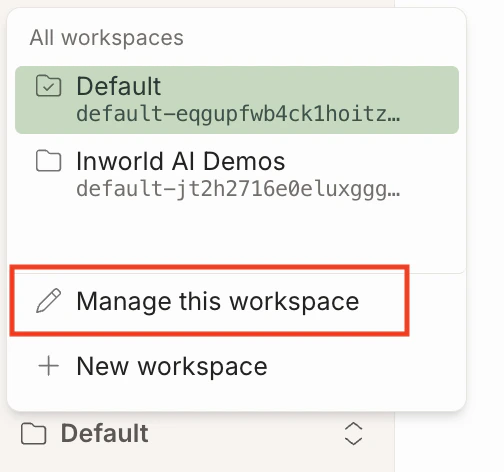
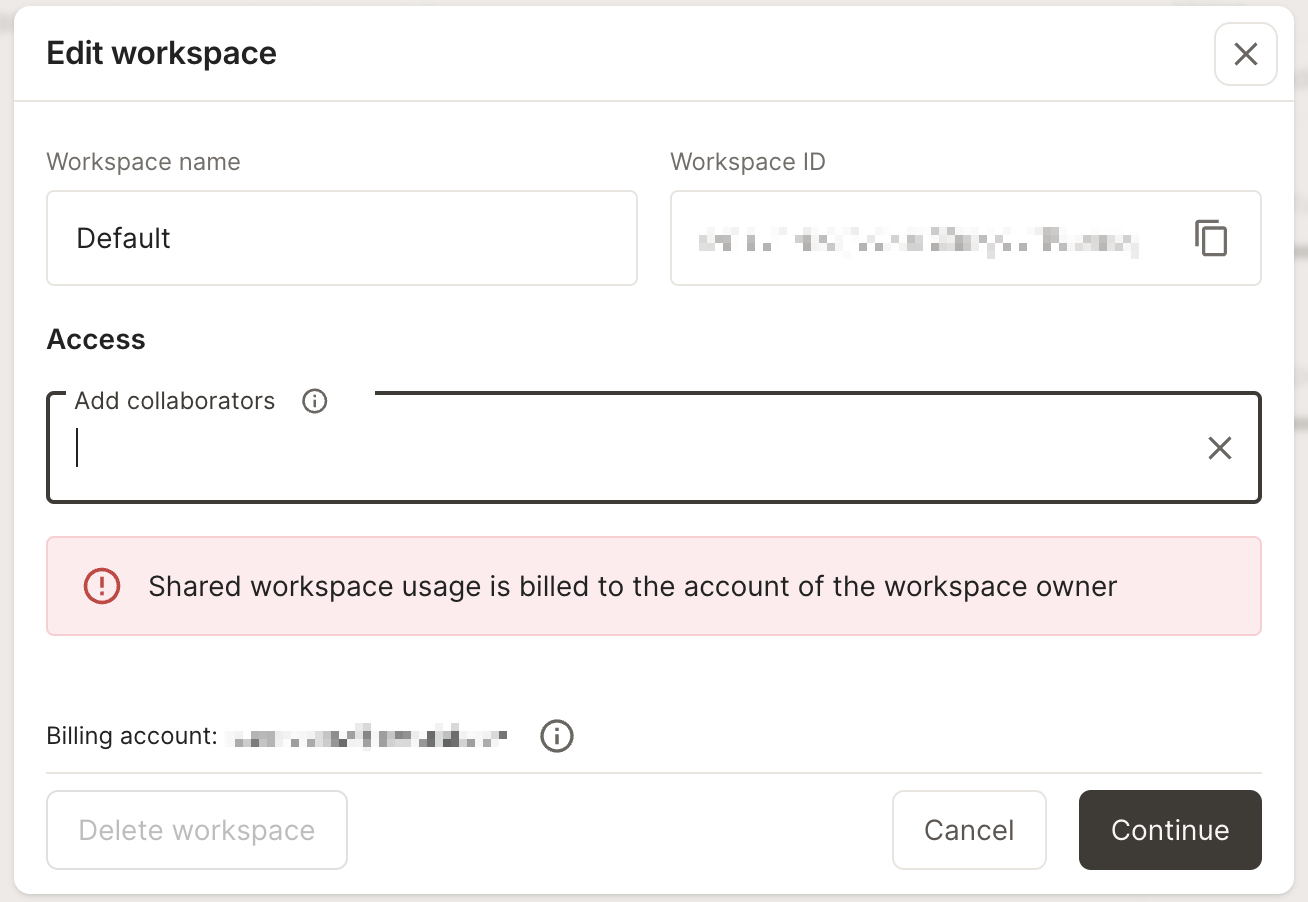
How do I share my workspace?
Click on the workspace selector in the bottom left corner, and select “Manage this workspace”.
How do I change or reset my password?
If you signed up with an email and password, you can reset your password from the login screen:- Go to the Inworld login page and sign out if you are signed in.
- Click Trouble signing in? below the password field.
- Enter the email address associated with your account and submit.
- Open the password reset email from Inworld and follow the link to set a new password.
How do I cancel or resume my subscription?
Paid, non-enterprise subscriptions can be cancelled and resumed from the Billing page. Open Manage Plan and use Cancel Subscription, or scroll to the Cancellation section at the bottom of the page. Cancellation takes effect at the end of the current billing period — you keep access until then, and pending cancellations show a Resume action in the same place. You can also jump straight to the confirmation dialog using these direct links:- Cancel: https://platform.inworld.ai/billing?action=cancel-subscription
- Resume: https://platform.inworld.ai/billing?action=resume-subscription
| Situation | Result |
|---|---|
| On-Demand plan | Not eligible — there is nothing to cancel or resume |
| Enterprise plan | Subscription changes are handled by your account team |
| Read-only billing member | Only billing account owners can change subscription status |
| Cancel link, but cancellation already scheduled | Subscription is already scheduled to cancel |
| Resume link, but no cancellation scheduled | Subscription is not scheduled to cancel |
How do I delete my account?
To delete your account, please reach out tosupport@inworld.ai.