

- Instant Voice Cloning - Clone a voice in minutes, from as little as 3 seconds of audio. The longer the sample (up to the current 15-second limit), the better the speaker similarity. Also known as zero-shot cloning. Available to all users through Portal.
- Voice Cloning via API - Instant voice cloning via API. Useful for workflow automation or enabling your users to clone their own voices.
- Professional Voice Cloning - For the best quality and similarity, fine-tune a model on recordings of your voice. See the Professional Voice Cloning best practices for audio requirements.
Professional voice cloning is currently not publicly available — self-serve professional voice cloning is coming soon. In the meantime, to get access please reach out to our sales team.
Don’t have audio samples? Use Voice Design to create a voice from a text description instead.
Instant Voice Cloning
Go to Inworld Portal
In Portal, select TTS Playground from the left-hand side panel. In the TTS Playground, click Create Voice and select Clone.
Upload or record audio samples
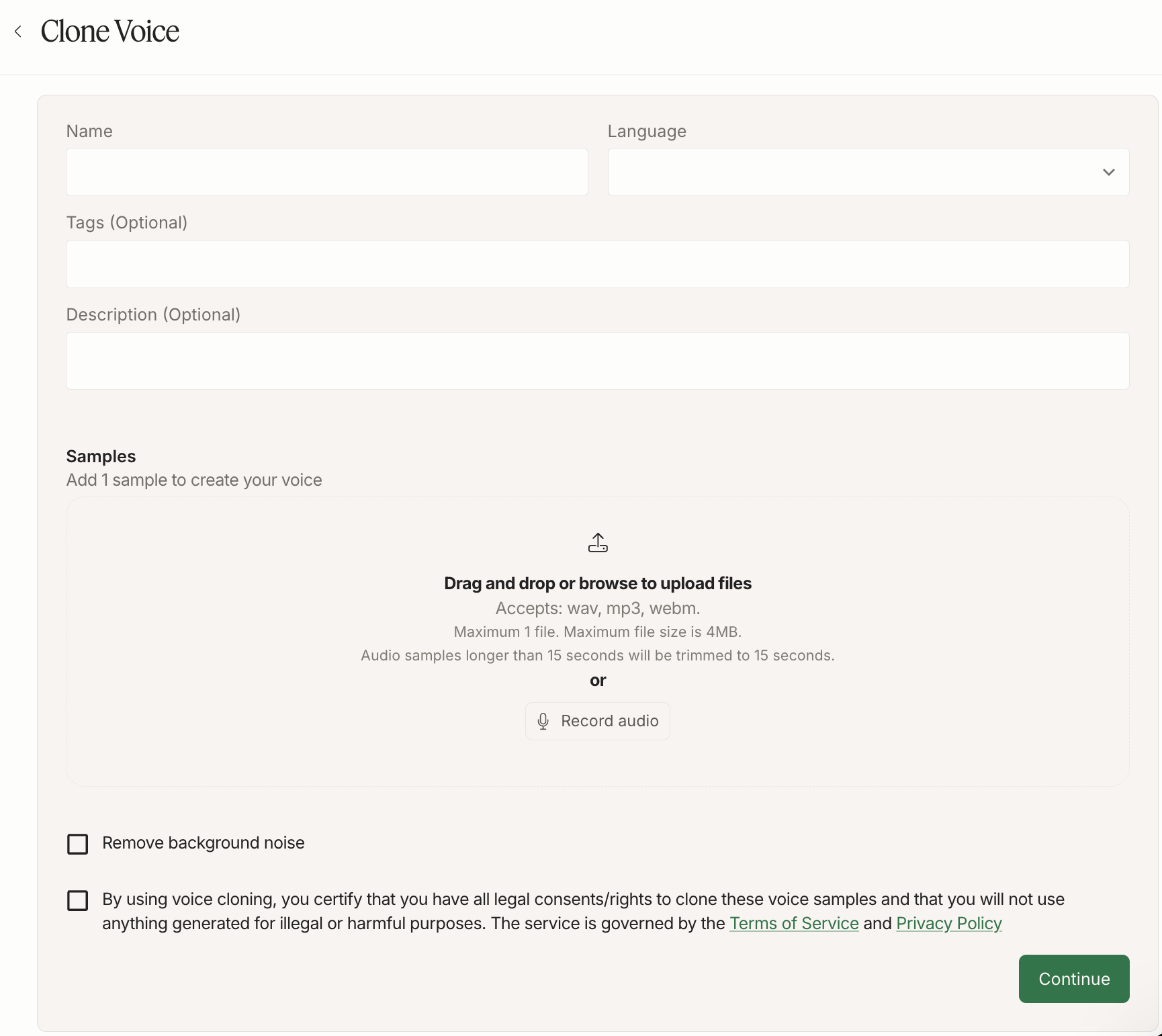
Other if you’re cloning in an experimental language.You can either upload or record audio:- Upload: Drag and drop or browse to upload 1 audio file. Accepted formats: wav, mp3, webm. Maximum file size is 4MB. Audio samples longer than 15 seconds will be automatically trimmed to 15 seconds — we’re working on supporting longer prompts soon.
- Record: Click “Record audio” and record your audio. You can use the suggested scripts to help guide your recording, or use your own script. For best results, record in a quiet place to minimize background noise, avoid mic noise, and speak with a variety of emotions to capture the full range of the voice.
Check out our Voice Cloning Best Practices for helpful tips and tricks to improve the quality of your voices clones.
Test your cloned voice
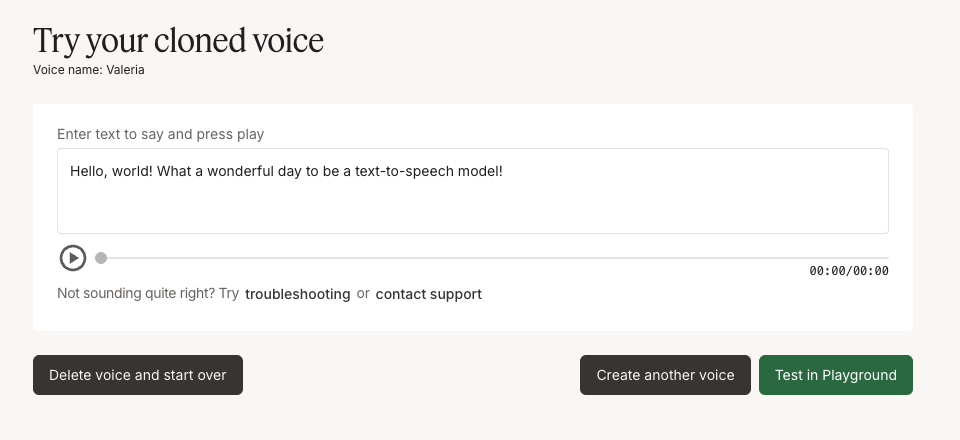
The number of cloned voices you can store depends on your subscription plan. See the Pricing page for per-plan limits. If you need a higher limit, please contact our sales team.
Use your cloned voice via API
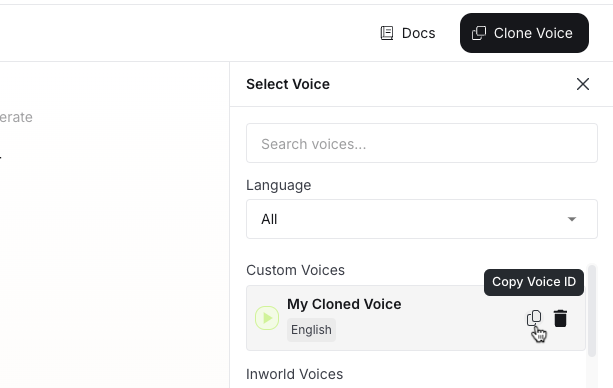
voiceId when making an API call. See our Quickstart to learn how to make your first API call.Voice Cloning API Reference And Examples
If you want to automate voice cloning (for example, to support creator onboarding at scale), use the Voice Cloning API.- API reference: Clone a voice
- Node.js SDK:
cloneVoice()— clone a voice in a few lines with the@inworld/ttsSDK - Python example: example_voice_clone.py
- JavaScript example: example_voice_clone.js
Voice cloning has lower rate limits than regular speech synthesis. For details, see Rate limits.
Next Steps
Looking for more tips and tricks? Check out the resources below to get started!Voice Cloning Best Practices
Learn best practices for producing high-quality voice clones.
Speech Generation Best Practices
Learn best practices for synthesizing high-quality speech.
API Examples
Explore Python and JavaScript code examples for TTS integration.