

inworld-tts-2) is our most capable model and the recommended choice here, with more accurate pronunciation and intonation and more natural-sounding speech.
Supported languages
Realtime TTS-2 (inworld-tts-2) supports 200+ unique languages and locales (BCP-47 codes) — from broad languages like es (Spanish) to regional locales like es-MX (Mexican Spanish). The languages we actively support and test are listed below.
Generally available languages
These languages are generally available (GA), offering the highest quality and the most natural pronunciation:Experimental languages
These languages are supported byinworld-tts-2 only. To try one, design or clone a voice in that language.
Show all experimental languages (alphabetical)
Show all experimental languages (alphabetical)
* These are base language subtags (ISO 639-1, or ISO 639-3 for less common languages).
Accents and regional variants: A voice reproduces the specific accent it was cloned in (e.g., a voice cloned in British English speaks
en-GB natively). If your voice wasn’t cloned in the accent you need, pass the matching BCP-47 regional code in the language field (e.g., en-GB, es-MX, pt-BR) to steer it. See Specifying a language below.Text normalization is language-specific, not locale-specific — English is normalized the same way whether you target
en-US or en-GB, even though conventions for dates, currencies, and the like can differ. If you need locale-specific formatting, normalize that text yourself.TTS-1.5:
inworld-tts-1.5-max and inworld-tts-1.5-mini support 15 languages: Arabic, Chinese, Dutch, English, French, German, Hebrew, Hindi, Italian, Japanese, Korean, Polish, Portuguese, Russian, and Spanish. For new multilingual projects, we recommend Realtime TTS-2.Cross-lingual support
Regardless of model, a voice delivers the best speaker similarity when it speaks the language it was cloned in — its native tongue. When synthesizing a different language, the model families behave differently:- TTS 1.5 is not cross-lingual: it carries over the accent of the voice prompt (e.g., a French voice speaks English with a French accent).
- Realtime TTS-2 supports cross-lingual synthesis and can do both, depending on how you use it: by default, it makes a best-effort attempt to speak the target language natively, without carrying over the original accent. If you want the voice to keep its original accent, prompt for it explicitly (e.g., with steering).
Specifying a language
Use thelanguage field to tell the model which language (as specified by a BCP-47 language tag) the voice should speak the text in. When set, the service will:
- Apply text normalization (if enabled) for the target language (e.g., speaking numbers in the target language).
- Use the voice’s localized prompt for that language, if one exists. If no localized prompt is available, the model will be steered to speak in the target language.
language is omitted, the original voice prompt is used and the language for normalization (if enabled) is auto-detected from the input text.
If you are sending short requests with only numbers or dates (e.g., 123-456-7890), auto-detection may not have enough context to detect the right language. In those cases, we recommend specifying a language for most consistent results.
Voice localization
Voice localization adapts a voice to a target language so it sounds like a native speaker of that language — delivering fluent, natural speech without carrying over the accent of the voice’s original language. (By contrast, specifying a language on an un-localized voice may retain the original accent.) It is supported for all Inworld TTS models.Open the Voices page in Portal
In Inworld Portal, go to Voices and select the My voices tab. Hover over an English voice to open its details panel on the right.
Voice localization is currently only supported for voices where the original audio was in English. Support for additional languages is coming soon.
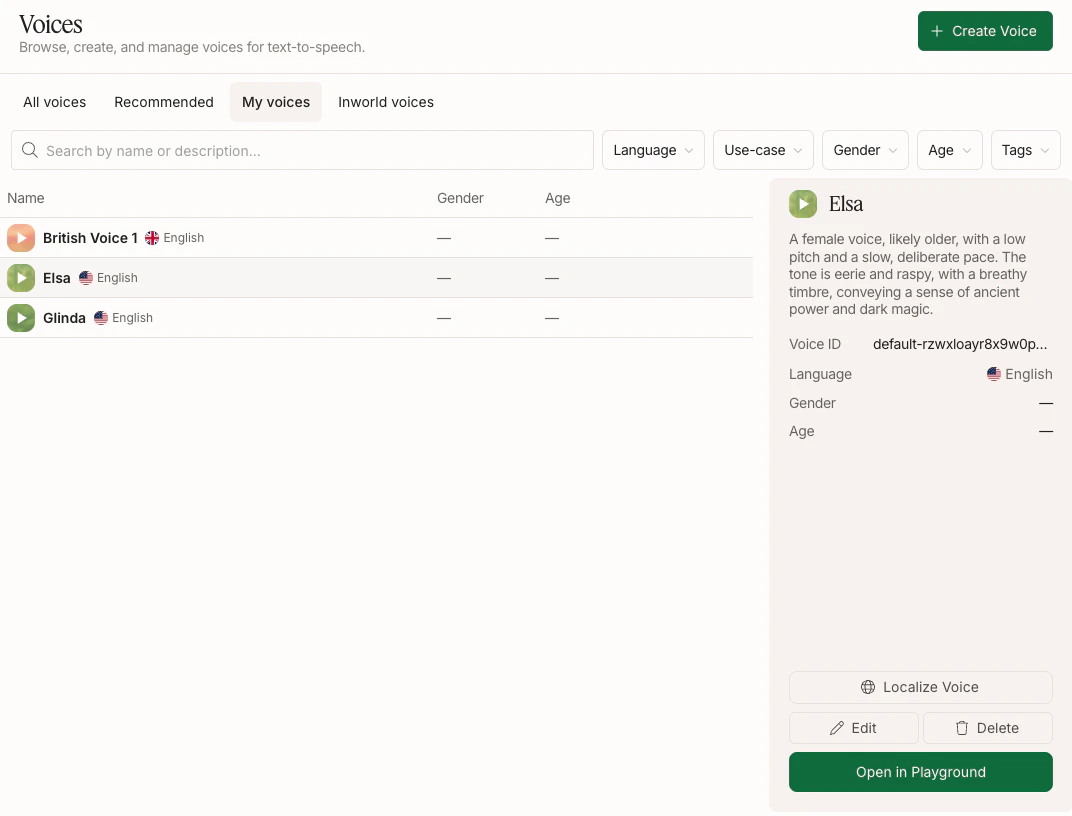
Choose a target language
Pick a target language from the dropdown and click Localize, which will start generating localized prompt candidates. This may take up to 2 minutes.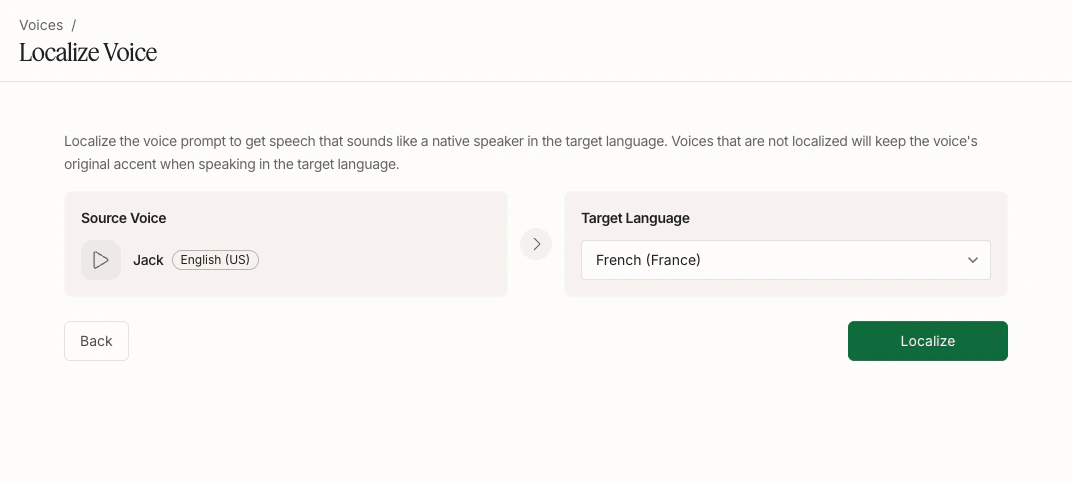
Review candidates
After generation, you’ll see a few localized prompt candidates. Listen to each and pick the one that sounds most natural and native, then click Save.If none sound right, you can click Regenerate. You may want to change the script before regenerating, since the script influences the generated voice.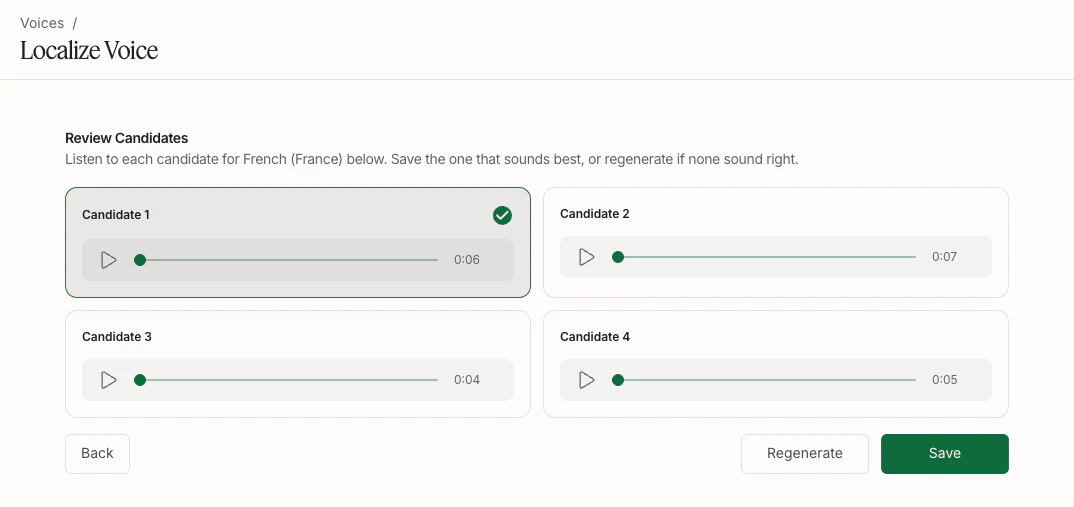
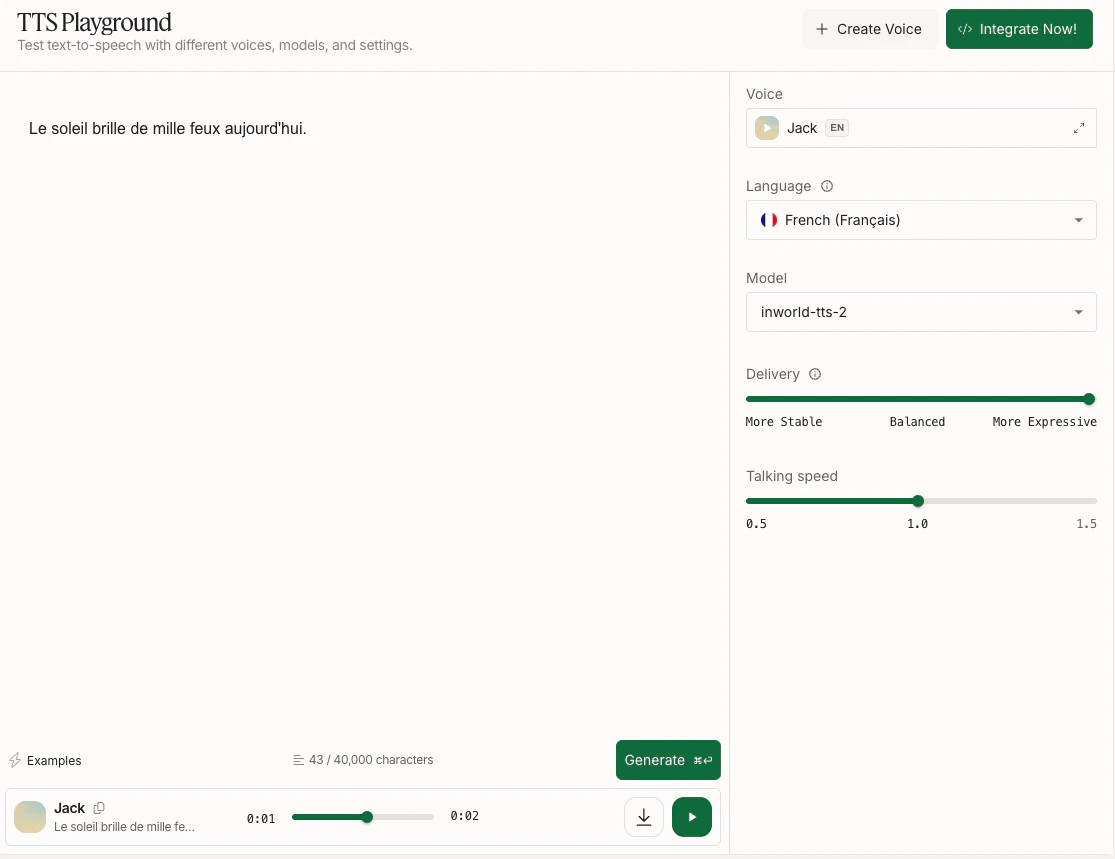
Next steps
Voice Cloning
Clone a voice once and reuse it across languages.
Custom Pronunciation
Use IPA notation to control pronunciation of proper nouns and edge cases.