

Default Rate Limits
Every account starts with the following default rate limits.| API | Rate limit |
|---|---|
| TTS — Synthesize Speech | 100 requests per second |
| TTS — Clone Voice | 5 requests per minute |
| LLM | 25 requests per second (some models may have additional limits) |
| Embeddings | 50 requests per second |
| STT | 50 audio chunks per second |
Request A Rate Limit Increase
If you need a higher limit, follow the steps below. You can typically expect a response within 48 hours.- In the Inworld Portal, click your profile icon in the top-right corner and select Billing.
- Click Increase rate limit in the top-right corner and fill in the details for your request, including the expected usage increase and why the increase is needed.
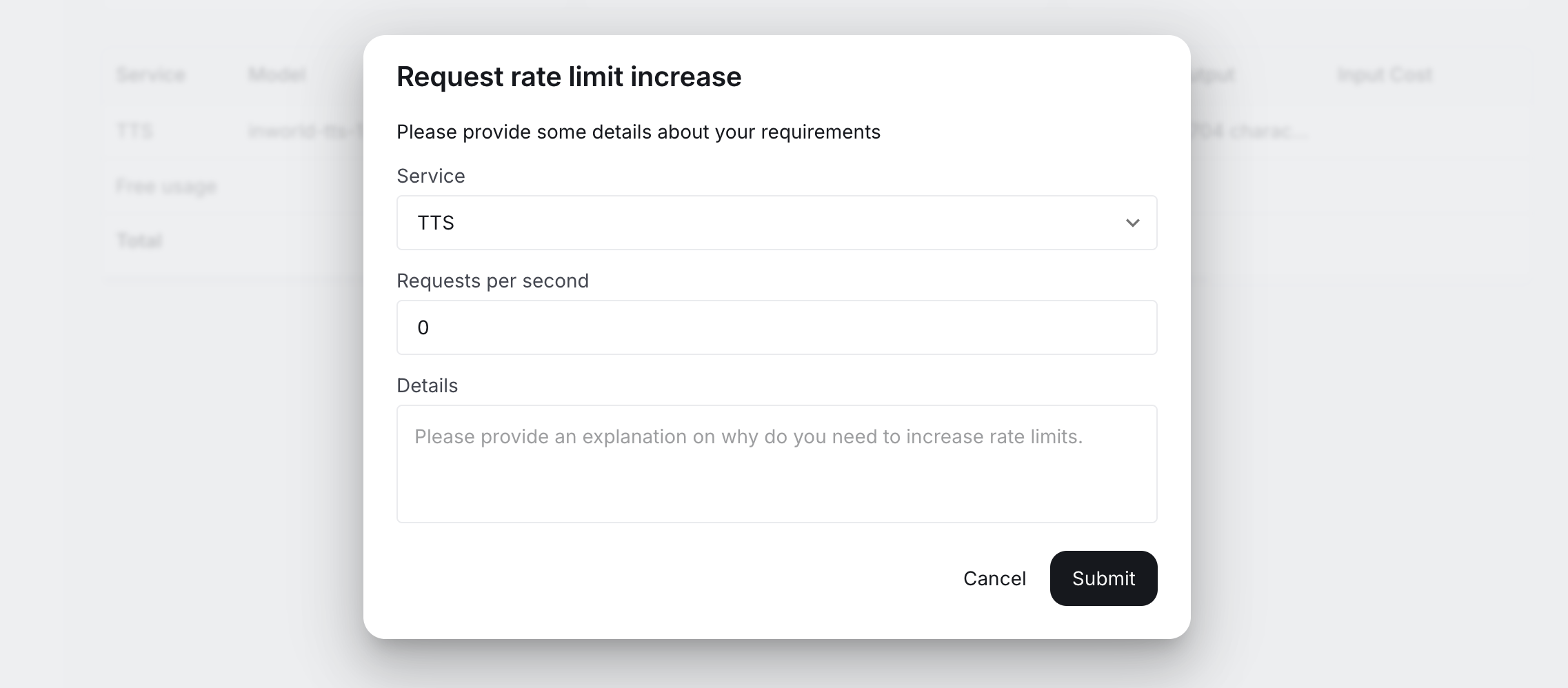
- Click Submit. Our team will review your request and may reach out with follow-up questions.
Notes
- Rate limits apply per account and are shared across your API keys.
- Very high limits may require additional lead time and mutual commitments, since physical GPU capacity may need to be reserved to support sustained throughput.